You've got Playwright tests running. Great. But when something fails, you're staring at terminal output trying to figure out what happened. Let's fix that with Allure.
By the end of this article, you'll have:
- Allure generating HTML reports from your tests
- Metadata that organizes your tests (severity, features, tags)
- Screenshots attached to your reports
- A helper class you can reuse across projects
What You're Building
Allure turns your test results into browsable HTML reports. Instead of scrolling through logs, you get:
- Pass/fail overview at a glance
- Test history and trends over time
- Screenshots attached to failed tests
- Filtering by severity, feature, or tags
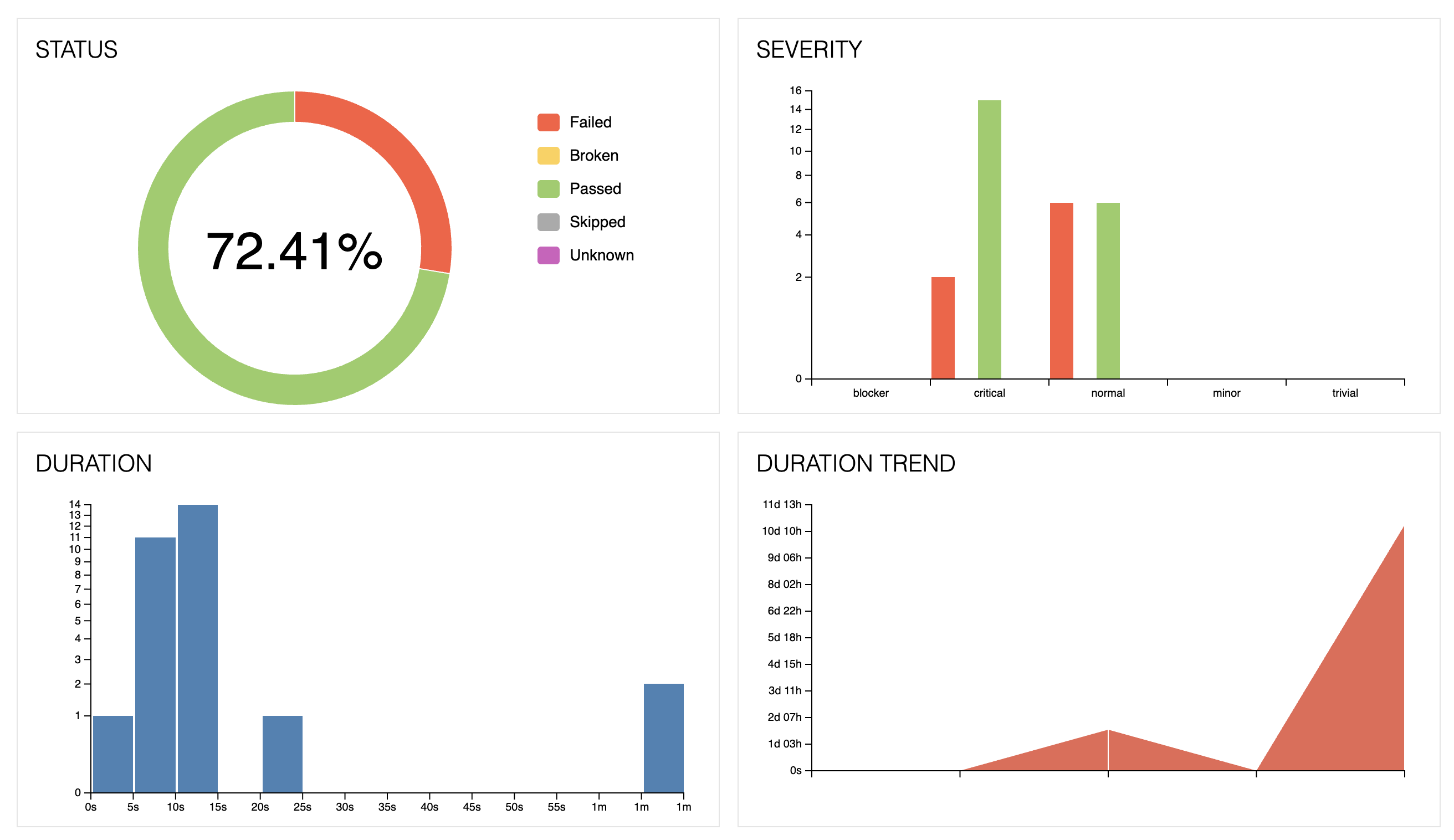 Allure Report Overview
Your report will show test status, severity breakdown, and suite organization
Allure Report Overview
Your report will show test status, severity breakdown, and suite organization
Setup (5 minutes)
1. Install Dependencies
npm install -D allure-playwright allure-js-commons allure-commandline
2. Configure Playwright
In your playwright.config.ts, add Allure as a reporter:
import { defineConfig } from '@playwright/test';
import { Status } from 'allure-js-commons';
import os from 'os';

export default defineConfig({
  reporter: [
    ['list'],
    ['allure-playwright', {
      detail: false,
      resultsDir: 'allure-results',
      categories: [
        {
          name: 'Failed Tests',
          matchedStatuses: [Status.FAILED, Status.BROKEN],
        },
        {
          name: 'Passing Tests',
          matchedStatuses: [Status.PASSED],
        },
        {
          name: 'Skipped Tests',
          matchedStatuses: [Status.SKIPPED],
        },
      ],
      environmentInfo: {
        os_platform: os.platform(),
        os_release: os.release(),
        os_version: os.version(),
        node_version: process.version,
      },
    }],
  ],
  // ... rest of your config
});
What this config does:
categories- Groups tests by status in the Categories tab. Makes it easy to see all failed tests in one place.environmentInfo- Displays your system info in the report (OS, Node version). Useful when debugging environment-specific failures.
3. Add npm Scripts
In package.json:
{
  "scripts": {
    "allure:generate": "allure generate allure-results --clean -o allure-report",
    "allure:open": "allure open allure-report"
  }
}
That's it for setup. Run your tests normally, then npm run allure:generate and npm run allure:open to see your report.
Building the AllureHelper Class
You could call Allure's API directly in every test. But that gets repetitive. Let's build a helper class that simplifies common tasks.
Create lib/allure-helper.ts:
import * as allure from 'allure-js-commons';
import { ContentType } from 'allure-js-commons';
import { Page } from '@playwright/test';

export type TestMetadataOptions = {
  displayName?: string;
  owner?: string;
  tags?: string[];
  severity?: 'blocker' | 'critical' | 'normal' | 'minor' | 'trivial';
  epic?: string;
  feature?: string;
  story?: string;
  parentSuite?: string;
  suite?: string;
  subSuite?: string;
};

class AllureHelper {

  async applyTestMetadata(options: TestMetadataOptions) {
    if (options.displayName) {
      await allure.displayName(options.displayName);
    }
    if (options.owner) {
      await allure.owner(options.owner);
    }
    if (options.tags?.length) {
      await allure.tags(...options.tags);
    }
    if (options.severity) {
      await allure.severity(options.severity);
    }
    if (options.epic) {
      await allure.epic(options.epic);
    }
    if (options.feature) {
      await allure.feature(options.feature);
    }
    if (options.story) {
      await allure.story(options.story);
    }
    if (options.parentSuite) {
      await allure.parentSuite(options.parentSuite);
    }
    if (options.suite) {
      await allure.suite(options.suite);
    }
    if (options.subSuite) {
      await allure.subSuite(options.subSuite);
    }
  }

  async attachScreenshot(page: Page) {
    try {
      const buffer = await page.screenshot({ fullPage: true });
      await allure.attachment('Screenshot', buffer, ContentType.PNG);
    } catch (error) {
      console.error('Failed to attach screenshot:', error);
    }
  }
}

export default new AllureHelper();
What this gives you:
applyTestMetadata()- Set all your test metadata in one callattachScreenshot()- Capture full-page screenshots with error handling
The class exports a singleton, so you just import and use it directly.
Using It in Tests
Here's a complete test showing all the pieces together:
import { test, expect } from '@playwright/test';
import * as allure from 'allure-js-commons';
import AllureHelper from '../lib/allure-helper';

test('User can add item to cart', async ({ page }) => {
  // 1. Set metadata at the start
  await AllureHelper.applyTestMetadata({
    displayName: 'Add Item to Cart',
    owner: 'QA Team',
    tags: ['Cart', 'Smoke', 'E2E'],
    severity: 'critical',
    epic: 'Shopping',
    feature: 'Cart Management',
    story: 'Add to Cart',
    suite: 'Cart Tests',
    subSuite: 'Smoke'
  });

  // 2. Wrap actions in steps
  await allure.step('Navigate to product page', async () => {
    await page.goto('/products/widget-123');
    await expect(page.locator('h1')).toContainText('Widget');
  });

  await allure.step('Add product to cart', async () => {
    await page.click('[data-testid="add-to-cart"]');
    await expect(page.locator('.cart-count')).toHaveText('1');
  });

  await allure.step('Verify cart contents', async () => {
    await page.click('[data-testid="view-cart"]');
    await expect(page.locator('.cart-item')).toBeVisible();

    // 3. Attach screenshot at verification points
    await AllureHelper.attachScreenshot(page);
  });
});
Automatic Screenshot on Failure
You probably want screenshots captured automatically when a test fails. Add this to your playwright.config.ts:
export default defineConfig({
  use: {
    screenshot: 'only-on-failure',
  },
  // ... rest of your config
});
Playwright will attach these screenshots to the Allure report automatically. No extra code needed.
For manual screenshots at specific points (like verification steps), use the helper:
await AllureHelper.attachScreenshot(page);
Where Metadata Shows Up in Reports
Each metadata field appears in a specific place:
| Field | Where It Appears |
|---|---|
displayName | Test title in all views |
severity | Severity chart + badge on test |
tags | Clickable labels, filterable |
epic > feature > story | Behaviors tab (hierarchical) |
parentSuite > suite > subSuite | Suites tab (hierarchical) |
owner | Test details sidebar |
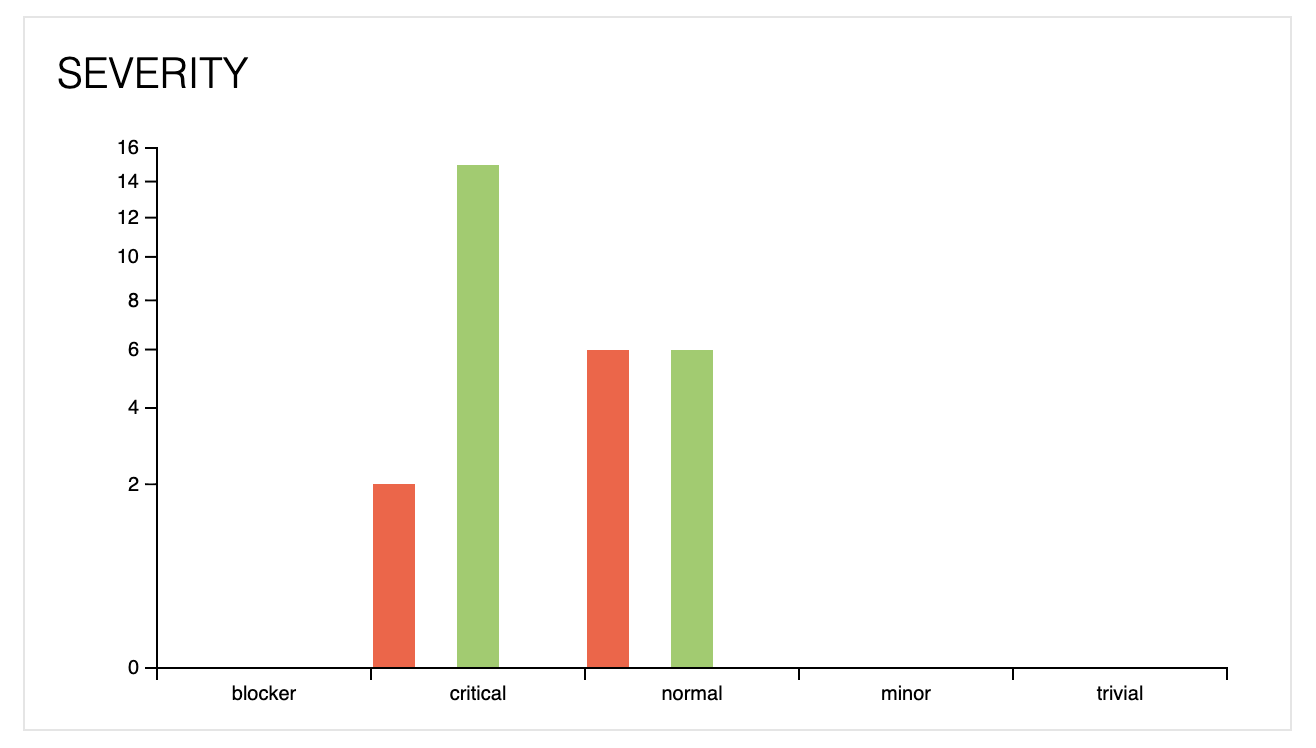 Severity Chart
Severity metadata populates this chart
Severity Chart
Severity metadata populates this chart
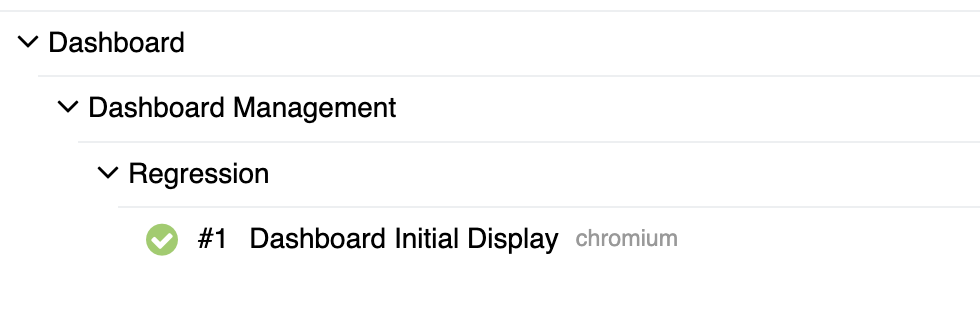 Suites View
Suite metadata creates this hierarchy
Suites View
Suite metadata creates this hierarchy
Quick Reference
Run tests:
npx playwright test
Generate report:
npm run allure:generate
View report:
npm run allure:open
Minimal test setup:
import AllureHelper from '../lib/allure-helper';
import * as allure from 'allure-js-commons';

test('My test', async ({ page }) => {
  await AllureHelper.applyTestMetadata({
    displayName: 'Human Readable Name',
    severity: 'normal',
    tags: ['Smoke']
  });

  await allure.step('Do something', async () => {
    // test code
  });
});
Common Issues
Report is empty:
- Check that
allure-results/has JSON files after running tests - Make sure the reporter is configured in
playwright.config.ts
Screenshots missing:
- Verify you're passing a valid
pageobject - Check console for error messages
History not preserved:
- Copy
allure-report/history/toallure-results/history/before generating new reports - Or add this to a global setup file to automate it
That's it. You now have Allure reports with proper metadata, organized tests, and screenshots for debugging. When your tests fail at 2 AM, future-you will appreciate the context.
Questions? Find me on TikTok @angry_tester.
angry docs - QA concepts without the fluff